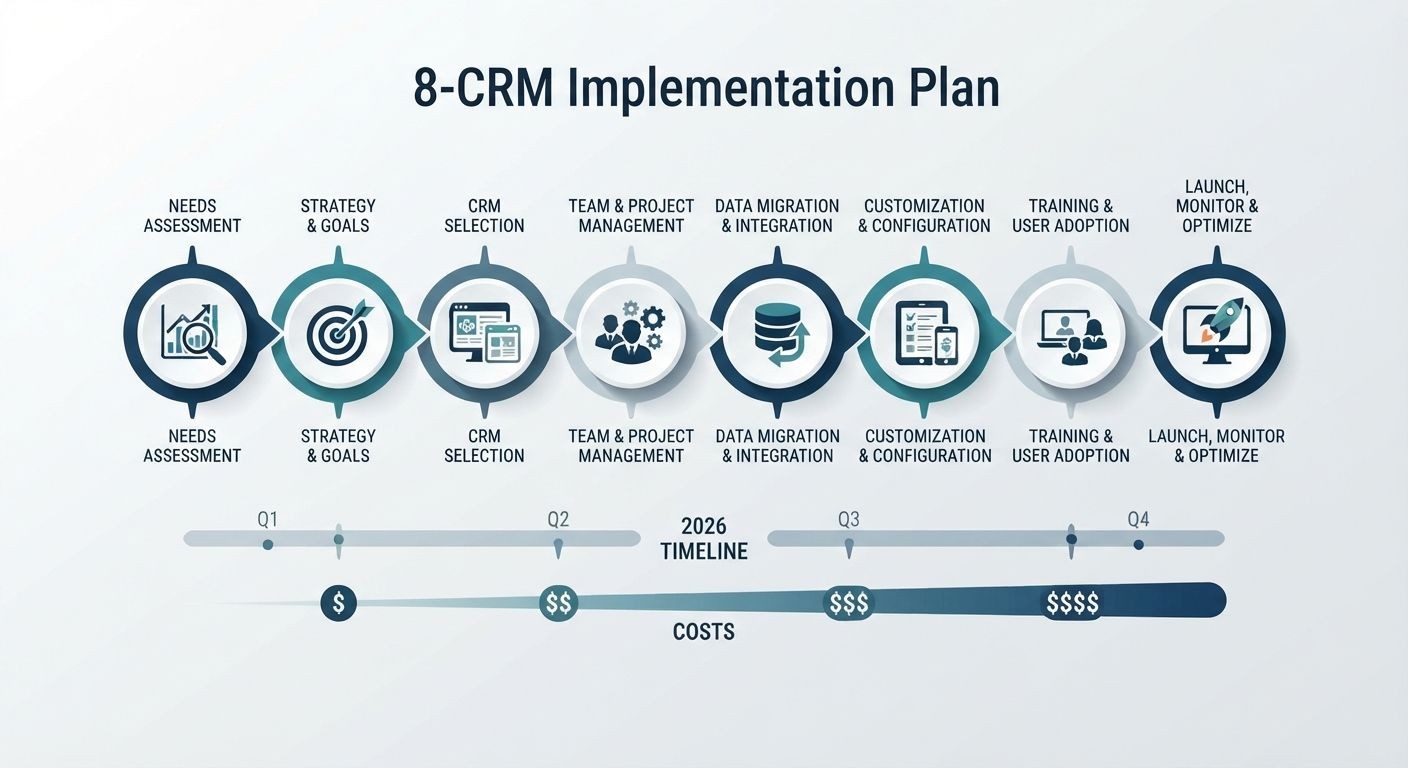

CRM Implementation Plan: 8 Steps, Timeline and Costs in 2026
Most CRM projects do not fail because the software is bad. They fail because nobody planned how the team would actually use it. Six months after launch, reps are back in spreadsheets and the pipeline report cannot be trusted.
A clear CRM implementation plan prevents that outcome. It sets out who owns the project, which data moves across, how your sales process is configured and how adoption is measured, before a single licence is bought.
This guide walks you through a practical CRM implementation plan for a small or mid-sized company. You will get eight steps, realistic timelines, cost ranges, the mistakes that derail rollouts, and the metrics that show whether the investment is paying off. If you are still deciding whether you need a CRM at all, start with our comparison of CRM vs spreadsheets for lead management.
What Is a CRM Implementation Plan?
A CRM implementation plan is a written roadmap that covers how a company selects, configures, migrates data into, launches and adopts a customer relationship management system. It assigns owners, sets deadlines and defines success metrics, so the rollout finishes on time and the sales team uses the system every day.
A good plan fits on a few pages. It answers five questions:
- Which business problem is the CRM solving?
- Who owns the project and who signs off?
- What data moves in, and who cleans it first?
- Which sales stages and fields get configured?
- How will you know it worked after 90 days?
Treat the plan as a living document. Review it weekly during the rollout and update the timeline as risks appear.
Why Do CRM Implementations Fail?
CRM implementations fail mainly because of people and process problems, not technology. The most common causes are unclear goals, dirty data, too much customisation at launch, weak executive sponsorship and poor training. When reps see the system as extra admin, they stop updating it and the data decays.
Here is what usually goes wrong in practice:
- No single owner. Sales, marketing and IT each assume someone else is running the project.
- Migrating messy data. Duplicate contacts and outdated deals are imported as they are, so reps lose trust on day one.
- Over-building. Teams configure 40 custom fields and six pipelines before anyone has used the tool.
- Skipping training. A single recorded demo is not training. Reps need role-based sessions using their own accounts.
- Measuring nothing. Without a baseline, nobody can say whether the CRM improved win rates or response times.
A good CRM implementation plan keeps launch scope small: configure only what supports your real sales process, then add complexity after 60 days of usage data.
CRM Implementation Plan: 8 Steps From Kickoff to Go-Live
Follow these eight CRM implementation steps in order to put your CRM implementation plan into action. Each step has a clear output, so you always know whether the project is on track.
Steps 1 to 4: Prepare the Ground
- Define goals and success metrics. Pick three measurable targets, such as cutting lead response time from 24 hours to 2 hours, or lifting lead-to-opportunity conversion by 10%.
- Appoint an owner and a sponsor. One person runs the project day to day. One executive removes blockers and enforces usage.
- Map your current sales process. Write down every stage a deal moves through, from first enquiry to signed contract, as it really happens today. Our guide to lead scoring software helps you decide which signals should qualify a lead.
- Audit and clean your data. Remove duplicates, merge records, delete contacts with no activity in 24 months and standardise fields such as country, industry and lead source.
Steps 5 to 8: Build, Launch and Improve
- Configure the CRM. Set up pipeline stages, required fields, user roles, email integration and automation rules for lead assignment and follow-up reminders. Keep it simple at first.
- Plan your CRM data migration and integrate tools. Import cleaned records into a test environment first. Then connect email, calendar, website forms and your accounting or billing system.
- Train users and run a pilot. Start with five to ten reps for two weeks. Collect feedback, fix friction, then roll out to everyone with role-based training.
- Go live, then review at 30, 60 and 90 days. Compare usage and sales pipeline metrics against your baseline and adjust fields, automations and reports.
How Long Does a CRM Implementation Take?
A CRM implementation takes 4 to 8 weeks for a small team on an off-the-shelf platform, 2 to 4 months for a mid-sized company with integrations and data migration, and 6 to 12 months for enterprise or heavily customised builds. Data cleanup and user training are the stages most often underestimated.
| Company profile | Typical timeline | Main time drivers |
|---|---|---|
| Small team (under 15 users) | 4 to 8 weeks | Data cleanup, training |
| Mid-sized (15 to 100 users) | 2 to 4 months | Integrations, custom fields, migration |
| Enterprise or custom build | 6 to 12 months | Security review, custom development, change management |
Add two weeks of buffer for every external integration. Delays almost always come from waiting on data decisions, not from the software. If you are a young company still choosing a platform, our roundup of the best CRM for startups is a good starting point.
How Much Does CRM Implementation Cost?
CRM implementation commonly costs one to two times your first-year licence fees. Expect roughly $2,000 to $10,000 for a small business, $10,000 to $50,000 for a mid-sized company, and $50,000 or more for enterprise projects. Costs come from licences, data migration, integrations, training and consulting.
Budget lines to include in your CRM implementation plan:
- Licences: $15 to $150 per user per month, depending on the platform and tier.
- Data migration and cleanup: $500 to $5,000, depending on volume and quality.
- Integrations: $1,000 to $10,000 per complex integration, such as ERP or accounting.
- Training: $500 to $3,000 for role-based sessions and documentation.
- Internal time: the line most budgets leave out. Expect the project owner to spend 30 to 50 percent of their week on the rollout.
Our breakdown of how much CRM software costs for a small business covers licence pricing in more detail.
Which CRM Implementation Approach Fits Your Business?
Choose an out-of-the-box rollout if your sales process is standard, a configured platform with integrations if you have several tools to connect, and a custom CRM only when your workflows are a genuine competitive advantage that off-the-shelf tools cannot model. Most companies under 100 users are best served by the first two.
- Out-of-the-box: the fastest and cheapest route. Best for teams under 20 with simple pipelines.
- Configured with integrations: suits companies that need accounting, marketing and support data in one place.
- Custom: the highest cost and longest timeline, but it fits regulated or unusual workflows. Add AI features such as lead scoring and automated follow-ups once the core data is clean.
If you want a lighter alternative to enterprise suites, see how Wavenest's CRM compares as a Salesforce alternative for small businesses.
How Do You Measure CRM Implementation Success?
Measure CRM implementation success with a mix of adoption and business metrics: daily active users, percentage of deals logged, lead response time, lead-to-opportunity conversion, sales cycle length and forecast accuracy. Set baselines before launch and review the numbers at 30, 60 and 90 days.
Track them in two groups:
- CRM adoption: logins per rep per week, records with complete required fields, activities logged per deal.
- Business impact: time to first response, win rate, average deal size, sales cycle length and forecast accuracy.
If adoption is under 80% after 30 days, fix training and workflows before blaming the platform. If adoption is high but results are flat, revisit your pipeline stages and lead qualification rules. Name these metrics in your CRM implementation plan before kickoff, so nobody argues about them afterwards.
Conclusion
A successful rollout comes down to preparation. Clear goals, one accountable owner, clean data, a small launch configuration and honest measurement at 30, 60 and 90 days matter more than which platform you pick. Use the eight steps above as the backbone of your CRM implementation plan and revise it as you learn.
If you are ready to get more from your CRM through automation, Wavenest builds custom AI automation and software solutions that fit your sales workflows, so get in touch to explore what is possible.