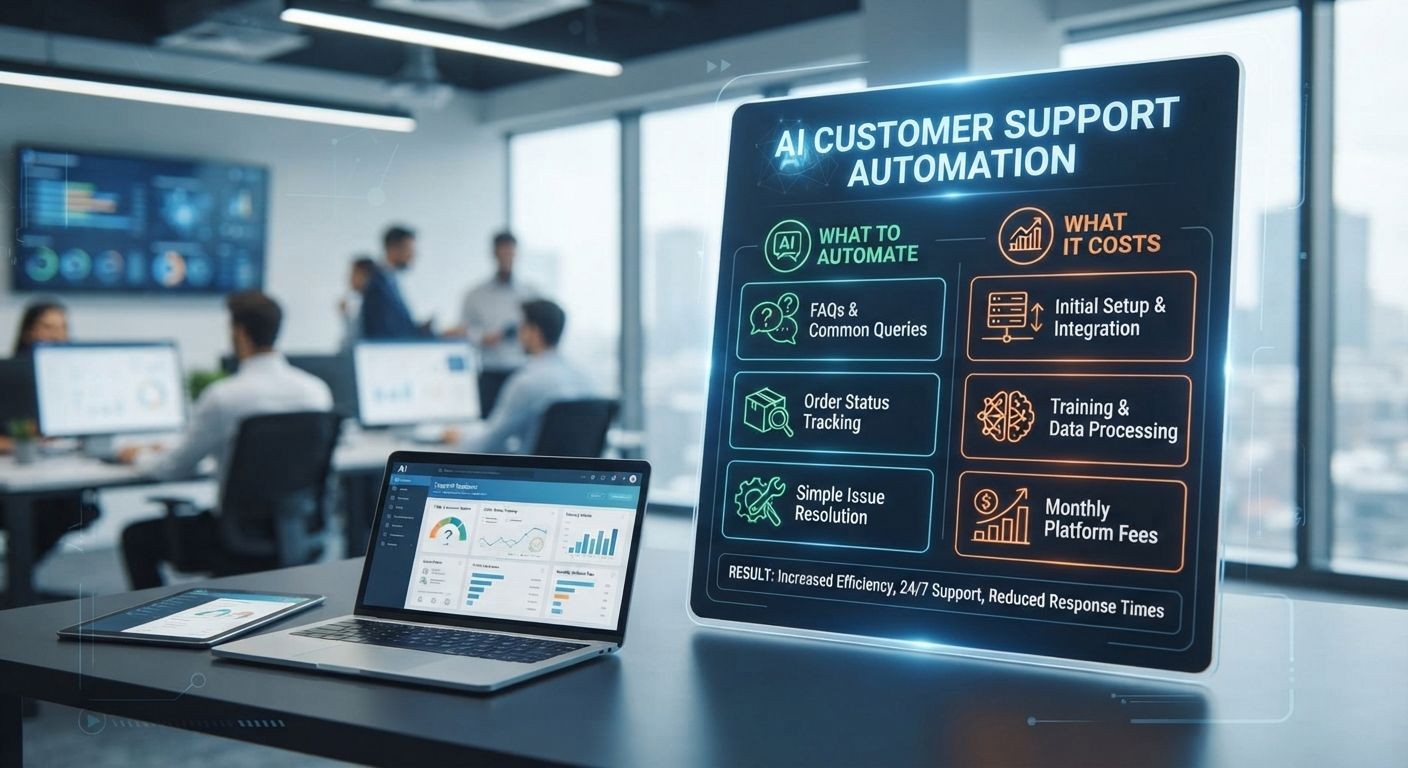

AI Customer Support Automation: What to Automate and What It Costs
A customer emails at 2 a.m. asking where their order is. Nobody answers until 9. By then they have opened a second ticket, posted a complaint and started comparing your competitors. Multiply that by a few hundred tickets a week and your support team spends its days on questions that already have written answers.
AI customer support automation fixes that specific problem. It uses language models to answer routine questions, take simple actions and pass everything else to a human with the context attached. Done well, it cuts response times from hours to seconds without making customers feel brushed off.
This guide explains what to automate, how the technology fits together, what it costs, and the mistakes that sink most first attempts. It is written for founders and operations leaders who need a plan, not a vendor pitch.
What Is AI Customer Support Automation?
AI customer support automation is the use of language models and connected business systems to resolve customer requests with little or no human involvement. It answers questions, looks up account data, performs approved actions such as rescheduling or refunds, and escalates complex cases to an agent with a full summary.
This is different from the scripted chatbots many companies installed a few years ago. Those bots matched keywords and followed decision trees, so any unusual phrasing sent customers into a dead end. Modern systems read the whole message, work out the intent and pull answers from your own documentation. Our comparison of AI agents and AI chatbots explains the technical gap in more detail.
In practice, a support automation setup has three layers:
- Answering: replies to questions using your help center, policies and past tickets.
- Acting: connects to your CRM, billing or order system to check status, update records or issue approved credits.
- Triage: tags, prioritizes and routes anything the system cannot resolve, with a short summary so the agent never starts from zero.
Which Support Tickets Should You Automate First?
Automate tickets that are high in volume, low in risk and answered the same way every time. Order status, password resets, appointment changes, invoice copies and basic product questions usually qualify. Leave legal disputes, safety issues and upset long-term customers with humans until the system has earned trust.
Teams new to AI customer support automation often try to automate everything at once. That is the fastest route to a bad customer experience. A narrow start gives you clean data and a clear before-and-after comparison.
A Simple Scoring Test for Ticket Categories
Score each ticket category from 1 to 5 on three factors: volume, predictability, and safety if the answer is wrong (5 means a mistake costs almost nothing). Add the scores. Start with categories that total 12 or more. Many service businesses find that five or six categories account for 30% to 50% of all tickets, and those are the ones to tackle first.
Good first candidates:
Order and delivery status
Password and login help
Booking, rescheduling and cancellations
Invoice and receipt requests
Product how-to questionsKeep with humans for now:
Billing disputes and chargebacks
Complaints from high-value accounts
Anything involving health, safety or legal rights
If phone calls outnumber emails in your business, our guide to automating business calls with AI voice agents covers the voice side of the same idea.
How AI Customer Support Automation Works Behind the Scenes
Under the surface, three components decide whether the system helps customers or embarrasses you. Each one needs deliberate design before launch.
Knowledge Retrieval
The system searches your approved content before it answers. This approach, called retrieval-augmented generation, keeps replies grounded in your real policies rather than the model's guesses. Poor documentation produces poor answers, so clean up the help center first. Remove outdated pricing, merge duplicate articles and write each policy in plain language.
System Integrations
Answers alone resolve perhaps half of tickets. The rest need actions: checking a shipment, amending a booking, issuing a credit under a set limit. Build each action as a narrow, permissioned function with a scope or spending cap. Never give the model open access to your database. A refund tool that cannot exceed $50 without approval is a safe default.
Human Handoff
Define handoff triggers in advance: negative sentiment, a customer rephrasing the same question twice, an explicit request for a person, or low model confidence. The transfer should carry the full conversation, the account details and a two-line summary. A customer who has to repeat everything after a handoff will blame the automation, not the agent.
How Much Does AI Customer Support Automation Cost?
AI customer support automation costs between $0 and $5,000 to set up with a help desk add-on, and up to $80,000 for a custom build. Monthly running costs typically fall between $500 and $5,000, depending on ticket volume, model usage and integrations. Most growing companies land in the middle.
| Approach | Setup cost | Monthly cost | Best for |
|---|---|---|---|
| Help desk add-on | $0 to $5,000 | $500 to $2,000 | Under 1,000 tickets a month, simple FAQs |
| Configured platform | $10,000 to $30,000 | $1,000 to $3,500 | Several channels, standard integrations |
| Custom build | $30,000 to $80,000 | $2,000 to $5,000 | Complex workflows, strict data rules |
Compare those figures with the cost of a human-handled ticket, which commonly runs $5 to $15 for email and chat once you include salary, tools and management time. If automation resolves 40% of 5,000 monthly tickets at a cost of $6 each, you save about $12,000 a month. Our guide to measuring AI automation ROI shows how to present numbers like these to your finance team.
How to Roll Out Support Automation in Six Steps
Roll out support automation in six steps: audit your tickets, clean the knowledge base, pilot one category, set guardrails, measure weekly, then expand. Run the pilot for four to six weeks with a human reviewing automated replies at first. Expand only when accuracy and satisfaction match your human baseline.
- Audit 90 days of tickets and group them by category and outcome.
- Rewrite the help center articles for your top five categories.
- Pilot one category on one channel, with agents approving replies before they send.
- Set guardrails: action limits, banned topics and handoff triggers.
- Track resolution rate, first response time, satisfaction score and escalation rate every week.
- Move to the next category once accuracy holds, for example 95% correct answers on a sample of 100 replies.
Before going live, write down who owns the system's behavior and who can switch it off. Our AI governance framework guide offers a lightweight structure for that.
Common Mistakes That Sink Support Automation Projects
Most failed AI customer support automation projects share the same five mistakes. All of them are avoidable.
- Hiding the human option. Customers will tolerate automation when they can reach a person in two clicks. They will not tolerate being trapped.
- Feeding it outdated documentation. If your refund policy changed in March and the help center still shows the old one, the system will confidently quote the old one.
- Measuring deflection instead of resolution. A customer who gives up and leaves has been deflected, not helped. Track whether the problem was actually solved.
- Automating the angriest cases first. Start with calm, repetitive requests and build confidence before touching sensitive ones.
- Launching without a feedback loop. Review a weekly sample of failed conversations, fix the source content behind each, and retest.
The pattern behind all five is the same: treating automation as a switch you flip rather than a service you maintain.
Conclusion
AI customer support automation works when you start narrow, ground every answer in accurate documentation and keep a clear path to a human. Begin with the five ticket types your team answers most, measure resolution rather than deflection, and expand as accuracy proves out. Companies that follow this approach free their agents for complex problems and the relationship work that actually retains customers.
If you want a support system that resolves tickets instead of deflecting them, Wavenest builds custom AI automation solutions that connect to your help desk, CRM and billing tools, so get in touch to explore what is possible for your team.